MP3 Downloader - Music Player
- 4.3
- Rating
- 100.00M
- Installs
- Free
- Price

 Analysis by App-foxy
I approached MP3 Downloader - Music Player as a practical tool rather than just another way to press play. Its appeal is obvious: it brings music playback, lyrics, offline listening, and downloading into one place. In everyday use, that combination can make it easier to gather audio for a personal listening queue, prepare music for a trip, or keep a small collection available when a connection is unreliable.
The app sits in the Music & Audio category and is developed by Super Music Player Downloader. It is free to install, carries a Teen content rating, and supports devices running Android 6.0 or later. The current version is 20260509, and the app has grown to over 100 million installs, with a 4.3 average from around 613 thousand ratings. Those figures suggest that it has found a large audience, but they do not remove the need to understand how its workflow fits your own listening habits.
Starting a music project with a clear purpose
My first useful question with this app was not “What can I download?” but “What do I want to do with the music afterward?” That distinction matters. Someone building a temporary travel playlist has different needs from a person organizing a long-term local library, and both differ from a creator who needs background tracks while preparing a video or audio project.
You May Also Like

 Blood Strike: 2.5 Anniversary
Blood Strike’s Loadouts Turn Every Drop Into a Tactical Gamble
A close look at Blood Strike’s custom loadouts: how fast access to signature weapons reshapes its battle royale rhythm, rewards preparation, and narrows the gap between fights.

 Pandora - Music & Podcasts
Pandora’s Music Is Easy to Start, but Harder to Recover
Pandora’s strength is its low-effort path from a seed to a station. Its weak spot is how much confidence it asks you to place in connection, setup, and quiet recovery.

 8 Ball Pool
 Is Built on Rivalries, Rematches, and Routine
A close look at the rivalries, rematches, shared routines, and unanswered safety questions that turn a quick pool match into a persistent mobile community.

 Samsung Music
’s Quiet Strength Is Playing What You Already Own
Its reach comes less from spectacle than from dependable access to a personal library. That simplicity is both the app’s strongest retention engine and its ceiling.

 AccuWeather: Weather Radar
AccuWeather Review: A Quick, Clear Forecast for Everyday Decisions
For everyday plans, the best forecast is the one you can understand quickly. AccuWeather makes rain timing, radar, and local conditions easy to act on, with a few trade-offs.

 Hill Climb Racing
Why Hill Climb Racing Still Turns Crashes Into One More Run
A tiny car, a bumpy hill and one more upgrade: Hill Climb Racing keeps resurfacing because its simple chaos makes every near-miss feel personal.
More From Our News Desk
View All News


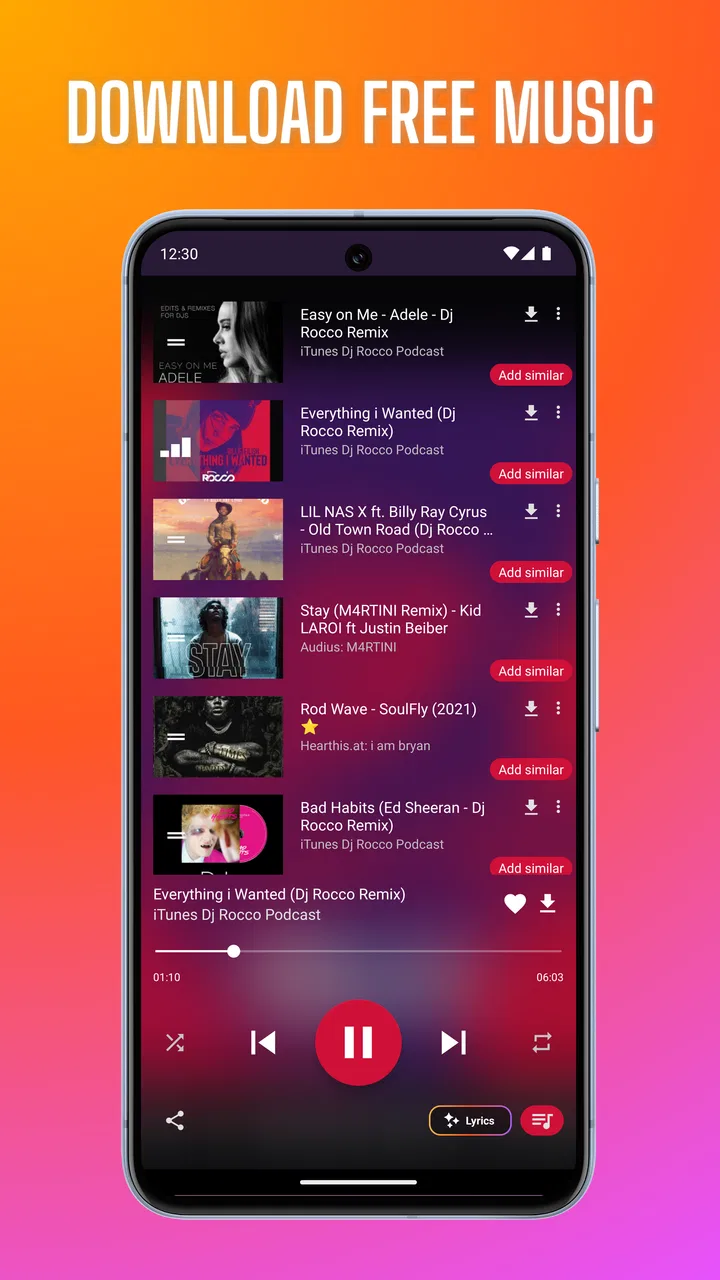
The app’s combination of a YouTube-oriented player, MP3 playback, lyrics, and offline song access makes it feel most useful at the discovery stage. I can look for something to listen to, decide whether it belongs in a personal collection, and then move toward offline access without immediately switching between several unrelated tools. That reduced friction is the strongest idea behind the app.
For a casual listener, the starting point is simple: find music, listen to it, and judge whether it is worth keeping available. For a creator, the same process can be more deliberate. I would use it to assemble a rough reference queue before editing, compare the mood of several tracks, or prepare a listening list for a commute when I expect weak connectivity. It is not a full creative suite, but it can support the research and preparation that happen before actual production.
The lyrics feature is particularly useful during this early stage. Lyrics change listening from passive playback into a quick way to inspect a song’s tone, structure, and subject. I would not treat displayed lyrics as a substitute for checking rights or confirming a track’s suitability in published work, but they can help me decide whether a song matches the atmosphere I am trying to create.
A realistic example is a short travel video. Before editing, I might collect several possible songs, listen to them in sequence, and use lyrics to eliminate tracks whose mood conflicts with the footage. Saving selected audio for offline listening then lets me review the shortlist on a train or in a place with poor reception. That is a more focused workflow than endlessly browsing a general streaming service.
There is also a useful separation between inspiration and commitment. I can explore a track without immediately treating it as part of my permanent collection. That is important because downloaded audio can quickly become disorganized. My advice is to decide in advance whether a song is a temporary reference, a regular listening choice, or material being considered for a creative project. Keeping those purposes separate makes the app easier to manage.
What the app is good at before playback
The strongest early-stage benefit is convenience. A conventional streaming app may be better for recommendations, artist pages, subscriptions, and polished library management. A standalone MP3 player may be better once every file is already stored on the phone. This app occupies the space between those two approaches: it helps me move from online discovery toward local, offline listening without requiring a separate player for every step.
That convenience comes with an important trade-off. The app’s name and store positioning make downloading central to its identity, but downloading music is not automatically the same as having permission to reuse it. I would use it for content I am entitled to save and listen to, and I would check the license before placing any track into a public video, podcast, advertisement, or client project. The tool can help with access and organization; it does not replace copyright judgment.
Building a listening workflow instead of collecting blindly
Once I have found something worthwhile, the making process is mostly about turning scattered discoveries into a usable listening set. I prefer to work in small batches. Rather than downloading everything that catches my attention, I would first listen through a group, identify the tracks that genuinely fit the intended mood, and only then save the final choices for offline use.
This approach has two advantages. It reduces clutter, and it makes later decisions easier. If I am preparing music for a creative session, I want a compact queue that supports concentration, not a crowded folder full of near-duplicates. The app is more helpful when I treat it as a selection tool rather than an unlimited storage box.
Lyrics can assist with this filtering. A song that sounds suitable in a short preview may have words that make it inappropriate for a family project, a client presentation, or a particular visual sequence. Checking the lyrics before saving the track is a small step, but it prevents an avoidable mistake later. This is one of the app’s more practical uses because it connects discovery with editorial judgment.
For offline listening, I would also test the saved material before leaving home. A download that appears complete is only useful if it plays properly when the connection is unavailable. Opening the track, moving through it, and checking that the intended queue behaves correctly is a simple preparation habit. It is especially worthwhile before a flight, road trip, or outdoor recording session.
The app can also support a reference workflow for creators. Suppose I am editing a montage and need to compare energetic, calm, and reflective options. I can create separate listening groups mentally or through the way I organize my saved material, then review each group while watching the rough cut. The app does not replace a timeline editor, but it can make the audio-selection part of the process more convenient.
One limitation becomes clearer here: an MP3-focused player is not the same as a professional asset-management system. I would not expect detailed tagging, collaborative review, version history, cue markers, or project-linked music organization. If my work involves many clients, multiple edits, or strict licensing records, I would move the final assets into a dedicated folder structure and production tool.
Practical habits that improve the experience
Use a short listening test before saving a track. This keeps temporary discoveries from filling the offline collection.
Check lyrics before selecting music for public-facing work, especially when the audience or client has specific content requirements.
Play saved songs once without a connection before relying on them during travel or a recording session.
Keep reference listening separate from final production assets so a downloaded file is not mistaken for cleared music.
These habits also address a common weakness of downloader-style apps: convenience can encourage impulsive collecting. The more deliberate I am, the more useful the app becomes. It works best as a lightweight preparation layer, not as the only place where a serious creative library lives.
Iterating through mood, lyrics, and offline review
Music selection rarely works perfectly on the first attempt. A track can sound excellent on its own and still fail when placed beside spoken narration, fast cuts, or a quiet visual sequence. I found the app more valuable when I used it for repeated comparison rather than making a single download decision.
My iteration method would be to create a small shortlist, listen to each candidate more than once, and compare the songs in the order they might appear in the finished piece. Lyrics provide one layer of evaluation, while pacing and emotional continuity provide another. A song that begins strongly may become distracting after several minutes, whereas a less dramatic track may support the work more effectively.
Offline playback is useful during this stage because it removes one variable from the review. If I am checking a sequence while traveling or working away from a stable connection, I can focus on the music instead of worrying about buffering. That makes the app suitable for rough evaluation in places where a conventional online player may be inconvenient.
Still, I would not confuse offline availability with professional offline production. The app can help me listen, but it does not turn a track into an automatically cleared project asset. I would keep notes about where each song came from and whether I am allowed to use it. For client work, that record is more important than the convenience of having the file on my phone.
Another useful trade-off concerns sound quality and control. A dedicated music service may offer a more refined listening environment, broader account synchronization, or stronger recommendations. A local player may provide more predictable control over files already on the device. This app is attractive when I value the path from online discovery to downloaded listening, but it may feel less suitable if my priority is audiophile playback, advanced equalization, or a carefully managed library.
The app also deserves a realistic assessment of its audience. A listener who wants quick access to music, lyrics, and offline playback may appreciate the compact workflow. A creator who needs to audition tracks while drafting content may find it handy as a reference companion. On the other hand, someone who mainly uses curated playlists, follows artists closely, or expects a polished streaming ecosystem may prefer a mainstream music service.
In-app purchases range from $0.99 to $99.99 per item, so I would pay attention to any optional purchase screens and decide whether the free experience already covers my needs. The app is free to start, but “free” does not necessarily mean every part of the experience will feel equally unrestricted. I would avoid paying simply to solve a problem I could prevent through better organization or by choosing a service designed for my specific workflow.
Handoff: moving from listening to responsible use
The handoff stage is where I would be most cautious. For personal listening, the process is straightforward: save music, confirm it plays offline, and use the player when needed. For creative delivery, the standard is higher. Before sending a video, podcast, presentation, or social post to someone else, I would verify that the chosen audio can legally be included and that the final file is stored in a location connected to the project.
This app can help me make a shortlist and review it away from the desk, but it is not a replacement for a production editor or publishing checklist. I would still perform the actual edit in software that supports the project’s video or audio timeline, then keep the source information and permission details with the exported work. That division of labor keeps the app useful without asking it to do something it was not designed to do.
For a personal handoff, such as preparing a phone for a family member or creating a travel collection, the app is much simpler. I would download only the tracks needed, test them, and avoid building an enormous offline queue. Smaller collections are easier to search and less likely to contain material I no longer want.
Device compatibility is also worth checking before relying on it. The minimum requirement of Android 6.0 makes the app accessible to many older Android phones, but performance can still vary with storage space, background activity, and the condition of the device. I would leave room for saved audio rather than filling the phone completely, particularly if I am also recording video or using a large editing application.
Because the developer is listed as Super Music Player Downloader and the product centers on downloading, I would approach permissions and account prompts with the same care I use for any app handling media. I would read each request in context, decline anything unnecessary where possible, and avoid treating a familiar interface as proof that every download is appropriate for redistribution.
My creator-focused verdict
After looking at it as a working tool, I see MP3 Downloader - Music Player as a convenient bridge between music discovery, lyric checking, offline listening, and early creative preparation. Its best use is not replacing every music service or production application. Its best use is helping me gather and review audio quickly, especially when I need a practical listening workflow away from a stable connection.
I would recommend it to listeners who want a free starting point for MP3 playback and offline access, and to creators who need a lightweight way to audition music before committing to an edit. The large installed base and 4.3 average show that many people find the overall concept useful, although popularity alone should not decide whether it suits your habits.
I would skip it if my main needs are advanced music-library management, synchronized collections across several platforms, professional audio editing, detailed licensing administration, or premium discovery features. In those cases, a dedicated streaming service, local-library player, or production asset manager will be a better fit.
My final advice is to use the app with a clear boundary: let it handle listening, discovery, lyrics, and offline preparation, while keeping editing, rights checks, and final delivery in tools built for those jobs. Its real strength is reducing the distance between finding a song and evaluating it in the situation where you may actually use it. Used that way, it is a useful companion for everyday listening and early-stage creative decisions, rather than an all-purpose replacement for a complete music or production setup.
FAQs for MP3 Downloader - Music Player
01Is MP3 Downloader - Music Player free to use?
Yes, MP3 Downloader - Music Player offers a free version that allows users to download and play music. However, there may be in-app purchases or ads to support the developers. It’s advisable to check the app store listing for detailed information on any potential costs or premium features.
02Can I download music directly to my device using this app?
Yes, MP3 Downloader - Music Player allows you to download music directly to your device. You can save tracks for offline listening, which is ideal for when you’re on the go or without internet access. Ensure you have enough storage space available on your device.
03Is the app safe to download and use?
MP3 Downloader - Music Player is generally safe to download from reputable app stores like Google Play Store or Apple App Store. Ensure you check user reviews and ratings to verify its safety and reliability. Always be cautious of permissions requested by the app and ensure they align with its functionality.
04Does the app support various audio formats?
Yes, the app supports a range of audio formats, including MP3, WAV, and FLAC, ensuring compatibility with most of your music files. This versatility allows users to enjoy high-quality audio playback, making it a versatile choice for music lovers.
05Can I create and manage playlists within the app?
Absolutely, MP3 Downloader - Music Player provides features to create and manage your playlists, giving you the flexibility to organize your music according to your preferences. You can add, remove, and rearrange tracks easily, enhancing your listening experience.
Pros
- Easy to navigate interface.
- High-quality audio downloads.
- Supports multiple audio formats.
- Fast download speed.
- Built-in music player feature.
Cons
- Contains ads during use.
- Limited offline features.
- Some songs may be unavailable.
- Requires stable internet connection.
- Occasional app crashes.

MP3 Downloader - Music Player
Gallery